> For the complete documentation index, see [llms.txt](https://docs.lsp.finance/llms.txt). Markdown versions of documentation pages are available by appending `.md` to page URLs; this page is available as [Markdown](https://docs.lsp.finance/events/airdrop/season-1-planetary.md).
# Season 1 - Planetary
2024/07/01-2024/12/14
## Season 1 Point
### Point Rule:
1. **100 points = 1x reward**.
**Registration**
* Users will receive **9.8x points** upon registration.
* In the early stages of LSP, an invitation system will be implemented. Users who do not register through an invitation link will only have access to staking and market sections and will not be able to participate in staking or trading.
**Daily Check-in**
* Users who check in continuously for 7 days will receive **7x points**, starting with 1x on the first day, increasing to 7x by the 7th day. If the streak is broken, the calculation will restart from day 1.
**Placing Orders**
* Users who place an order with 50 shares on the first order of the day will receive **14x points**.
**Trading**
* For users who successfully complete a trade of **over 100 USDT** on their first trade of the day, both the buyer and seller will receive **70x points**.
**Delegated Staking**
* Users who successfully delegate staking of **over 10 USDT** on their first staking transaction of the day will receive **70x points**.
***
#### **Activity Rules**
1. **Initial Activity Score = 100 points**
* If a user does not check in within 5 days, they will lose **10 points**. The minimum activity score is **0**.
* If a user checks in within 5 days but has an activity score lower than 100, they will gain **5 points** with each check-in. Once the score drops below 100, the maximum recovery is **90 points**.
2. **Activity Score and Point Exchange**
* The activity score will affect the exchange rate for converting points into tokens.
3. **Referral Rewards**
* The voucher code feature is canceled, and the system adopts an invitation-only system.
* Referrers will earn **10% of the points** earned by the referred user.
* Example: If a user earns 100 points through daily check-ins, the referrer will earn **10 points** (100 \* 10%).
4. **Activity Score Change Records**
* The system will keep a record of activity score changes, including **time, score value, type** (increase or decrease), and **remarks** (e.g., "check-in" or "no activity for 5 days").
***
#### **Point Staking**
1. **Staking Rules**
* Users must stake **all available points**. Staked points will earn **10% returns from node mining pools** and **90% transaction market fee rewards in USDT**.
2. **Unstaking**
* Currently, the platform does not support unstaking of points.
3. **Earnings Withdrawal**
* Earnings from staking can be **withdrawn with one click**, and the earnings will be distributed in the form of **cryptocurrency assets**.
***
## Season 1 NFT Badge
To reward early users of LSP, we are launching a limited-time Genesis NFT minting event
Click Dapp link ➡️
Click the following:
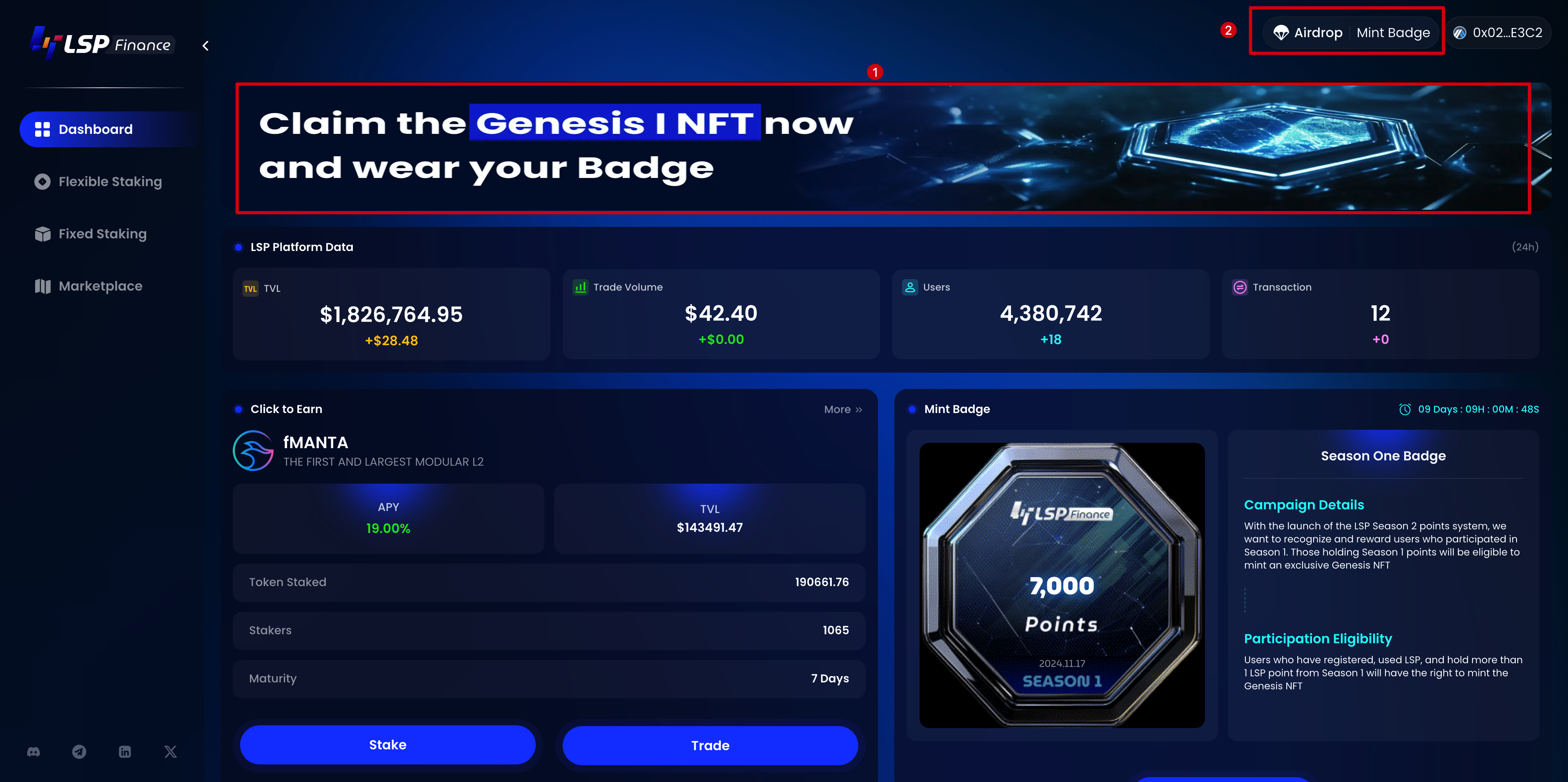
* 【P1】 Banner
* Upper right corner: Capsule
* Lower right corner: Mint Now
P1
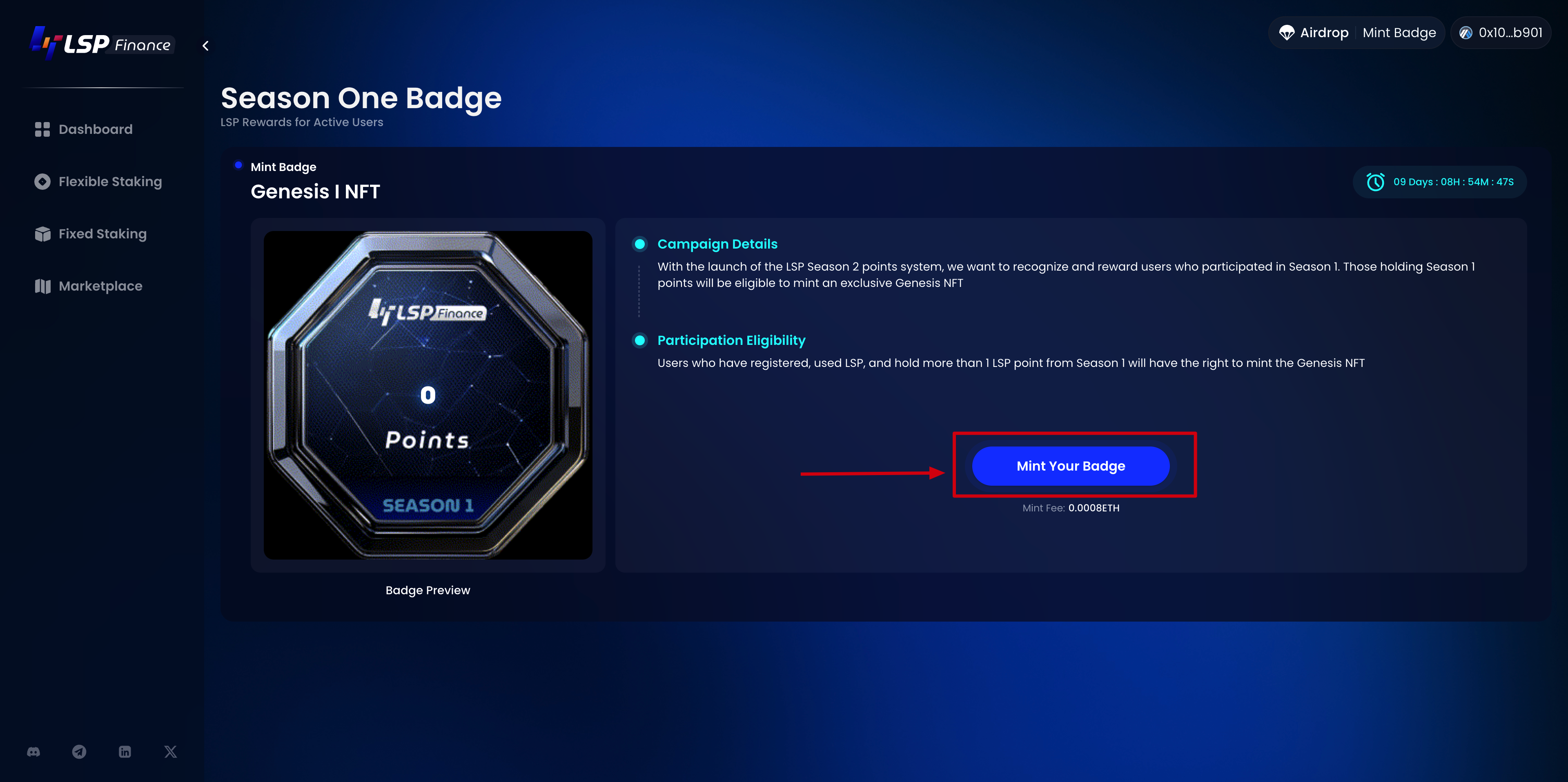
* Go to the event page
* Click 【Mint Your Badge】
{% hint style="info" %}
Please ensure that the linked address has 0.0008 ETH (Arbitrum) as the minting fee
{% endhint %}
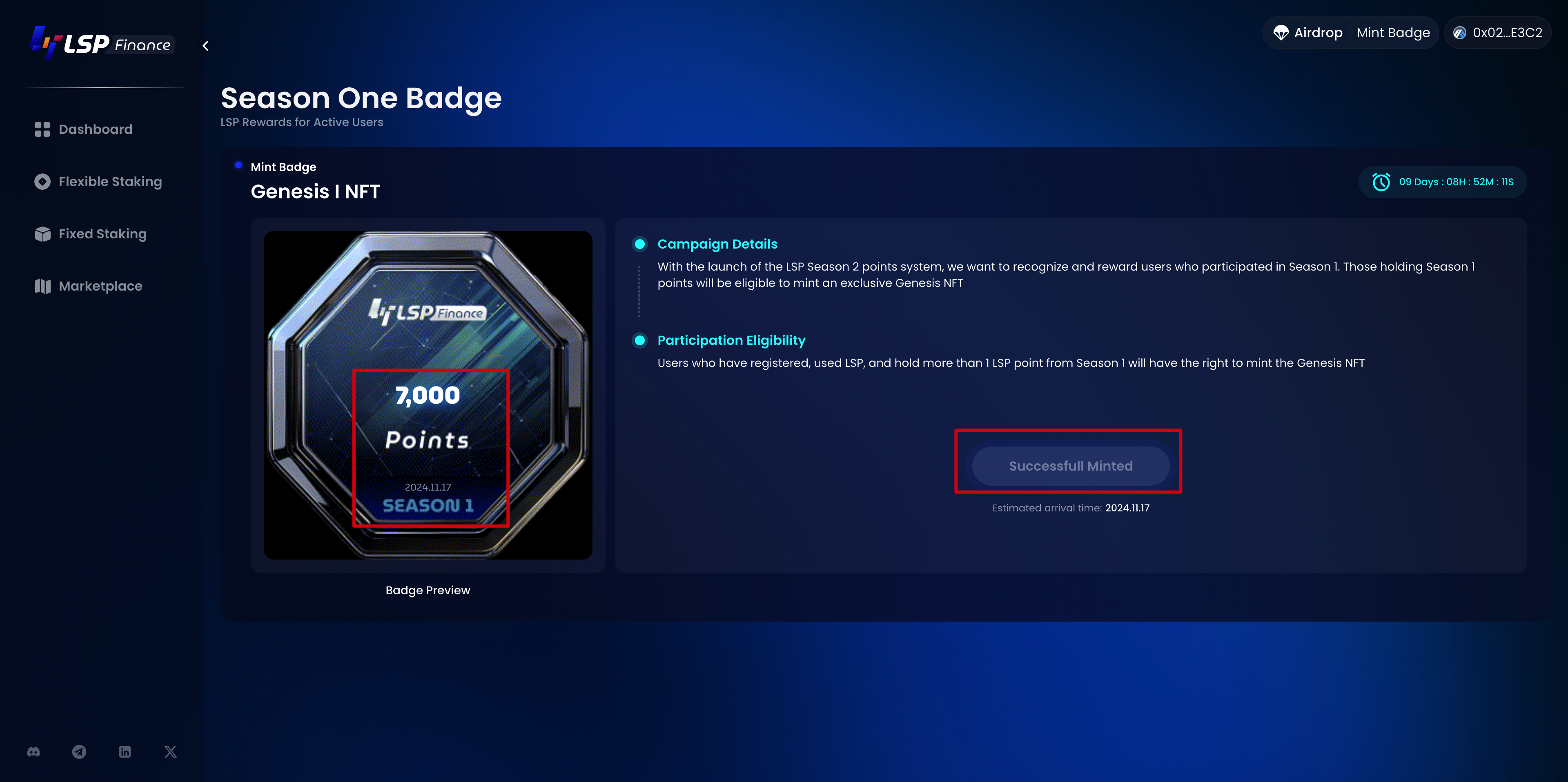
After the casting is successful, the first period of points and the date of casting of the NFT will be displayed on the NFT.
At the same time, the right side will prompt that the NFT has been successfully cast.